A dashboard made for you
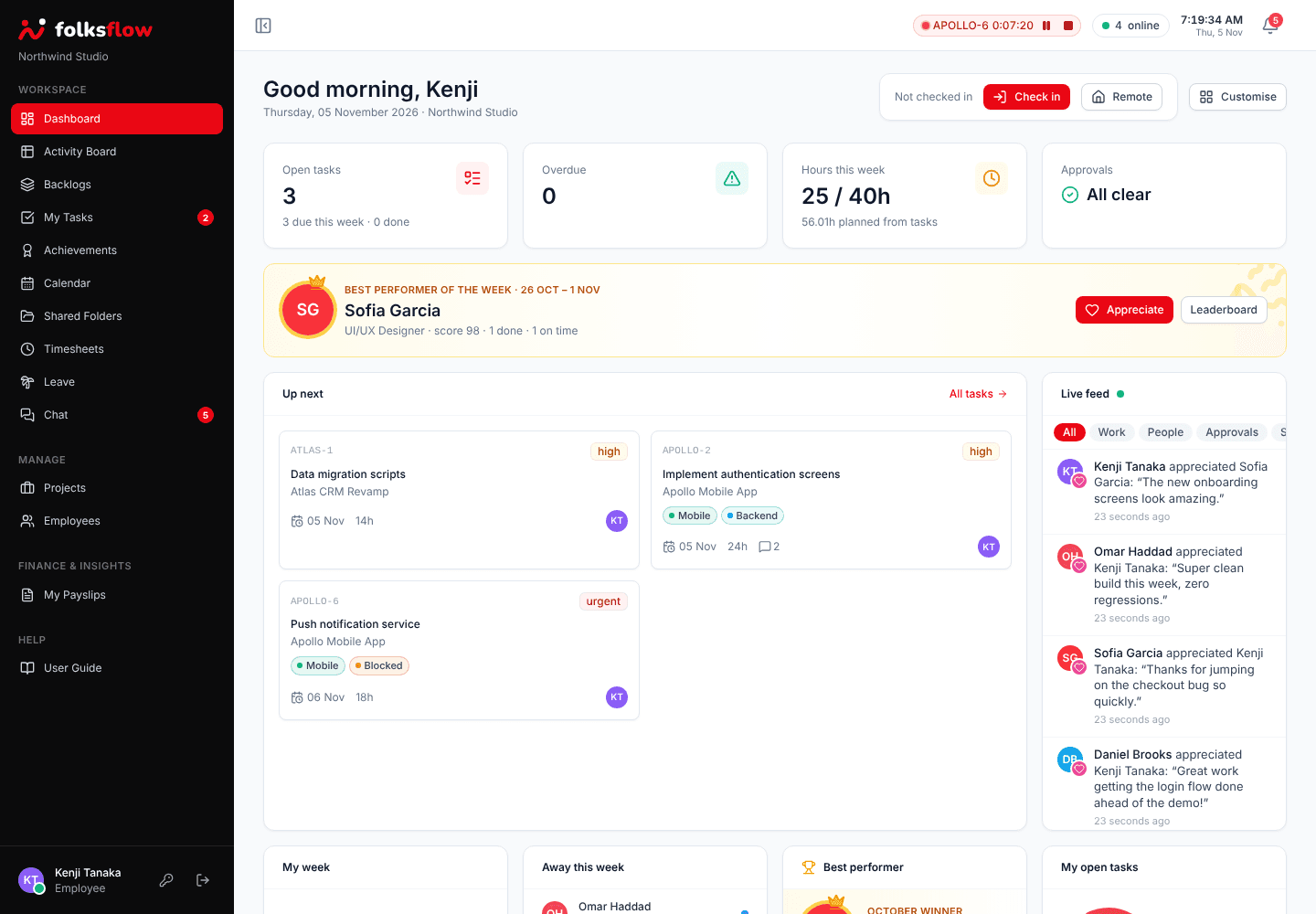
Each person drags, resizes and picks their own widgets: hours trend, tasks done, attendance, bandwidth, profit by project and a live feed of the team’s work.
FolksFlow connects tasks, timers, timesheets, attendance, leave and payroll, so every hour your team works turns into a plan, a payslip and a profit number. On your own private cloud.
14 day free trial Microsoft sign-in Payroll built in
Features
Stop copying hours from one tool into the next. In FolksFlow, the timer someone starts in the morning shows up in their timesheet, the project's profit and the month's payroll.
Each person drags, resizes and picks their own widgets: hours trend, tasks done, attendance, bandwidth, profit by project and a live feed of the team’s work.
Kanban boards, checklists, estimates, due dates and coloured labels for every project, with a backlog you groom and plan from.
Start a timer on any task and send weekly timesheets for approval. Weeks lock after Sunday, and idle timers pause themselves.
Check in from the office or remotely, apply for leave, see holidays and who is away. Managers can mark leave for their team.
Pay follows your salary structure and the hours on approved timesheets. Employees download their own payslips.
Revenue, cost, expenses and margin for every project and person, with budgets, burn rate and one-click PDF or Excel reports.
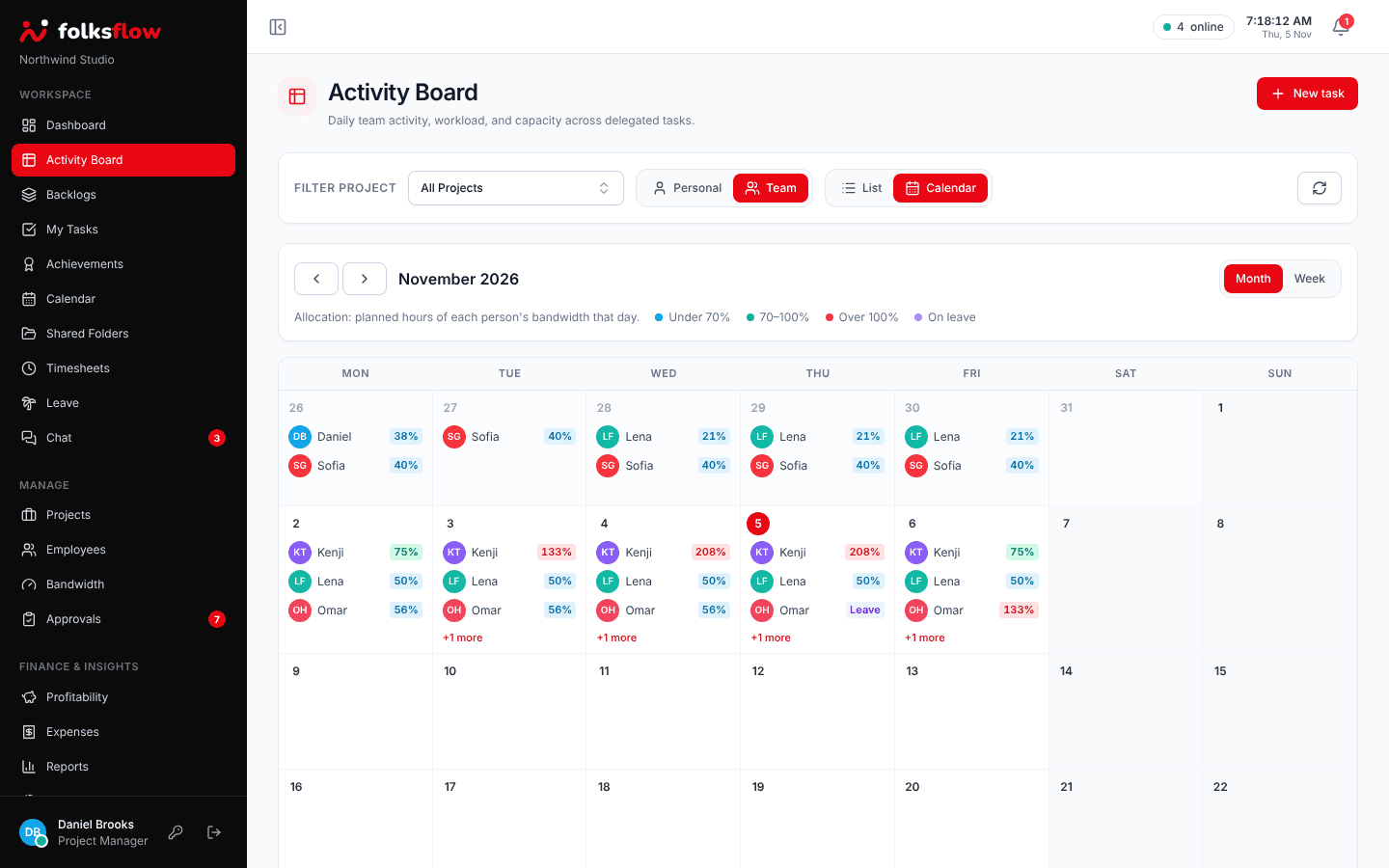
The Activity Board calendar shows how much of each person’s day is planned, so overload is spotted before it happens.
Plan posts on a drag and drop calendar, group them into campaigns under each project and track ad spend per campaign.
Monthly budget allocations per project, recurring expenses and company overheads, with reminders before money runs out.
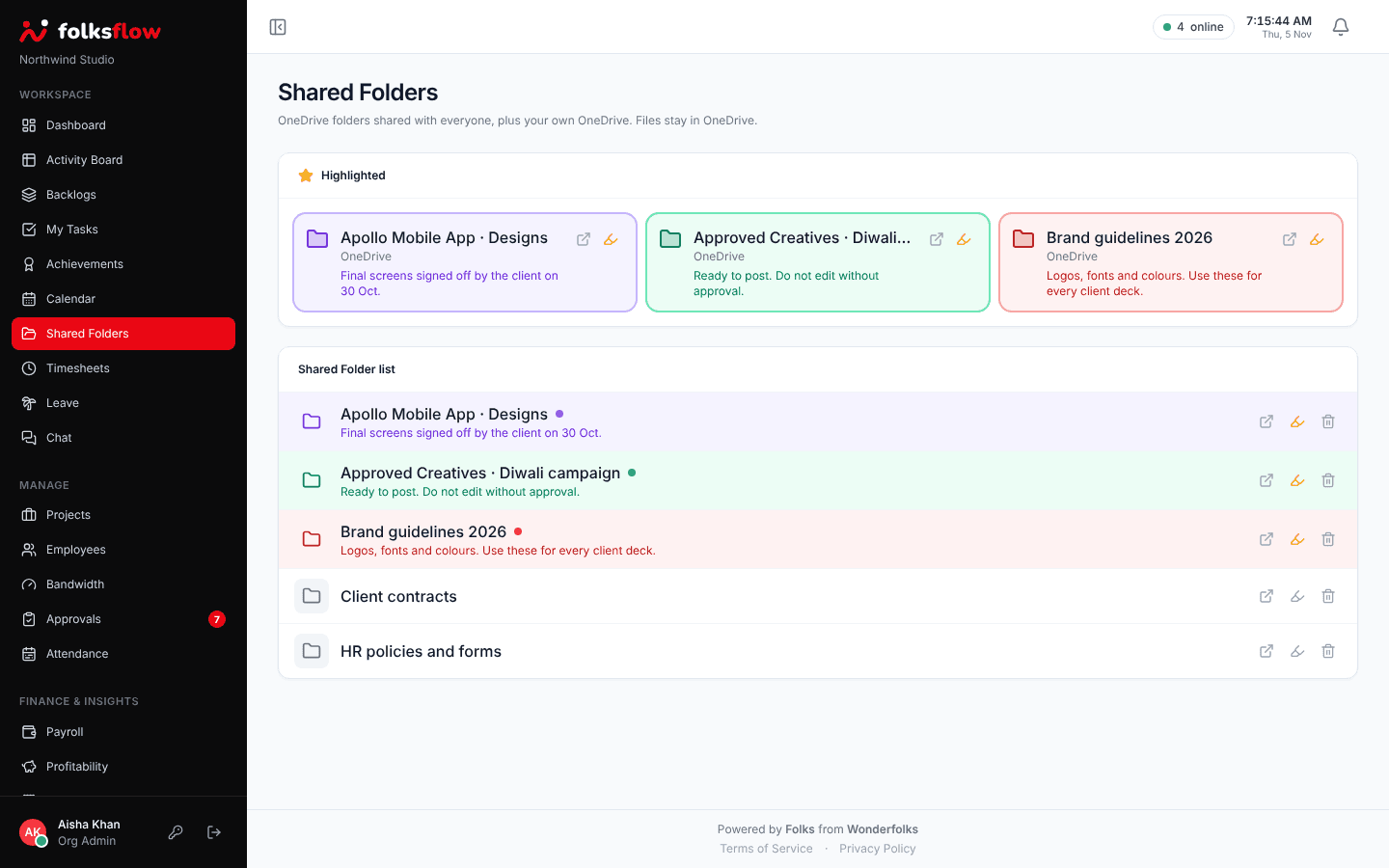
Admins and project managers share OneDrive folders with everyone, highlight the important ones and keep approved creatives in one place.
The in-app User Guide explains every screen with screenshots, shows only what each person can use and downloads as a PDF.
Schedule and join FolksMeet video meetings from your FolksFlow calendar, with everyone already in the invite list.
And much more, included
Your dashboard
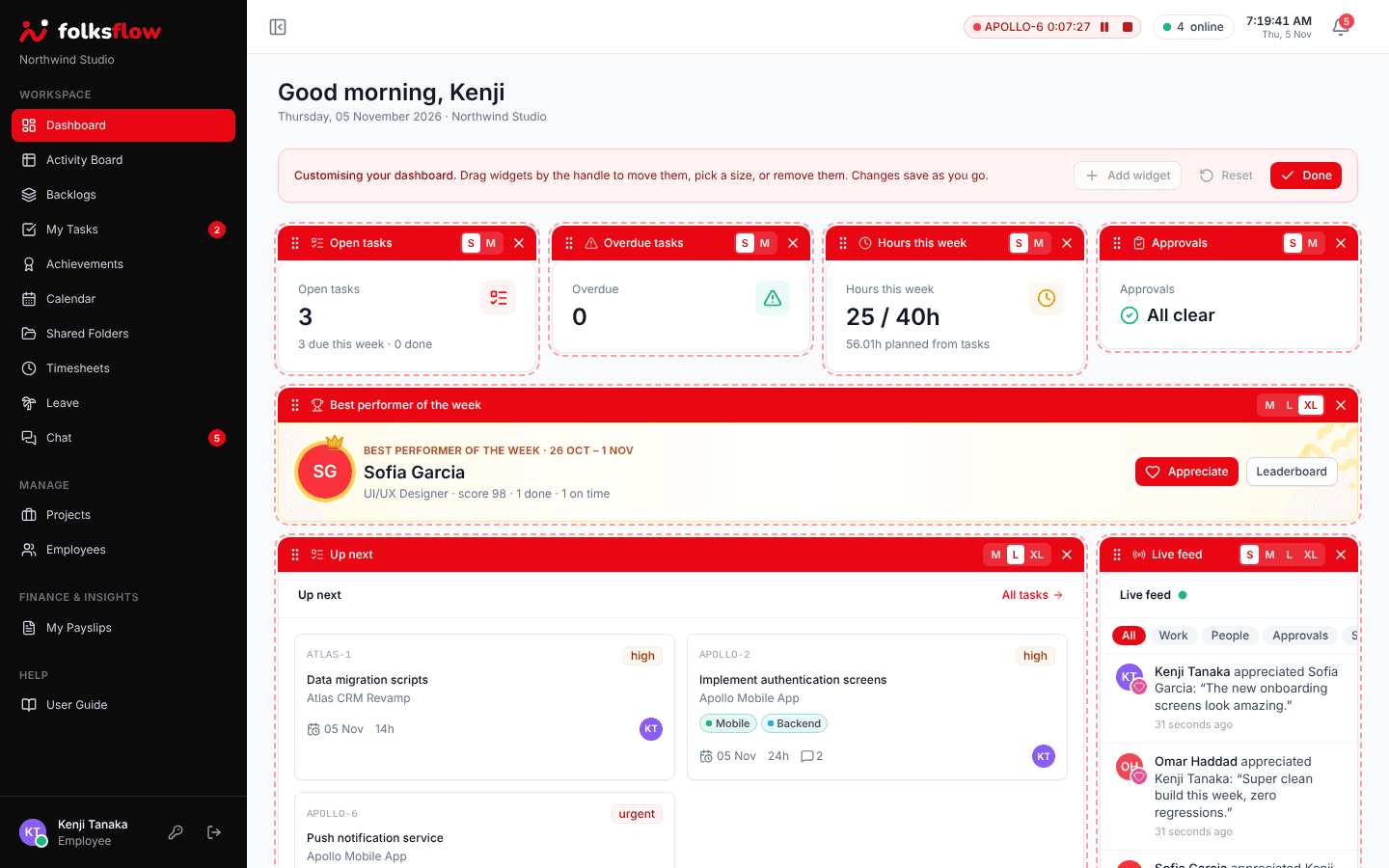
Click Customise to drag widgets into place, pick a size or add new ones. Charts for hours, tasks, attendance, bandwidth and profit sit next to a live feed of what the team is doing right now.
Activity Board
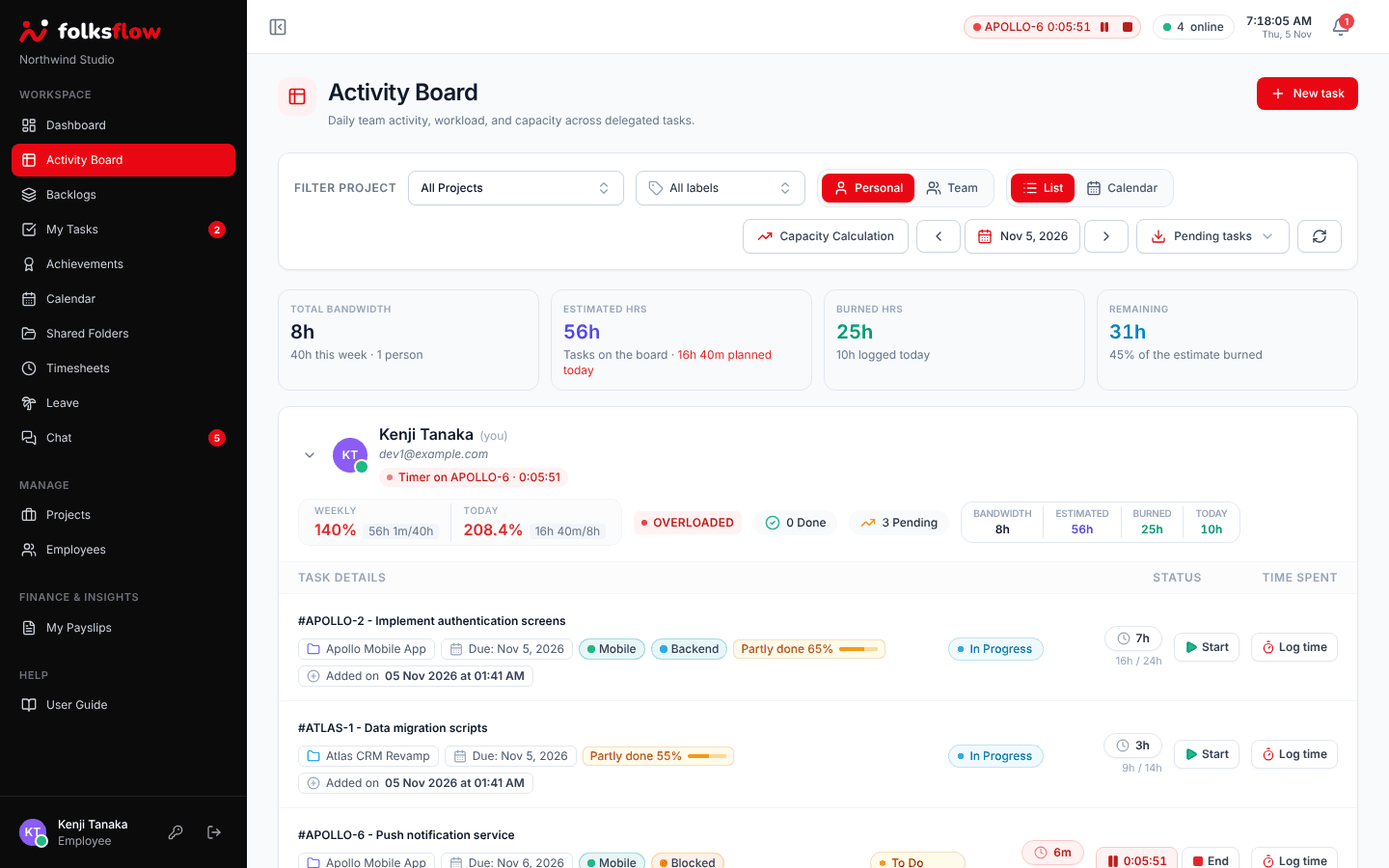
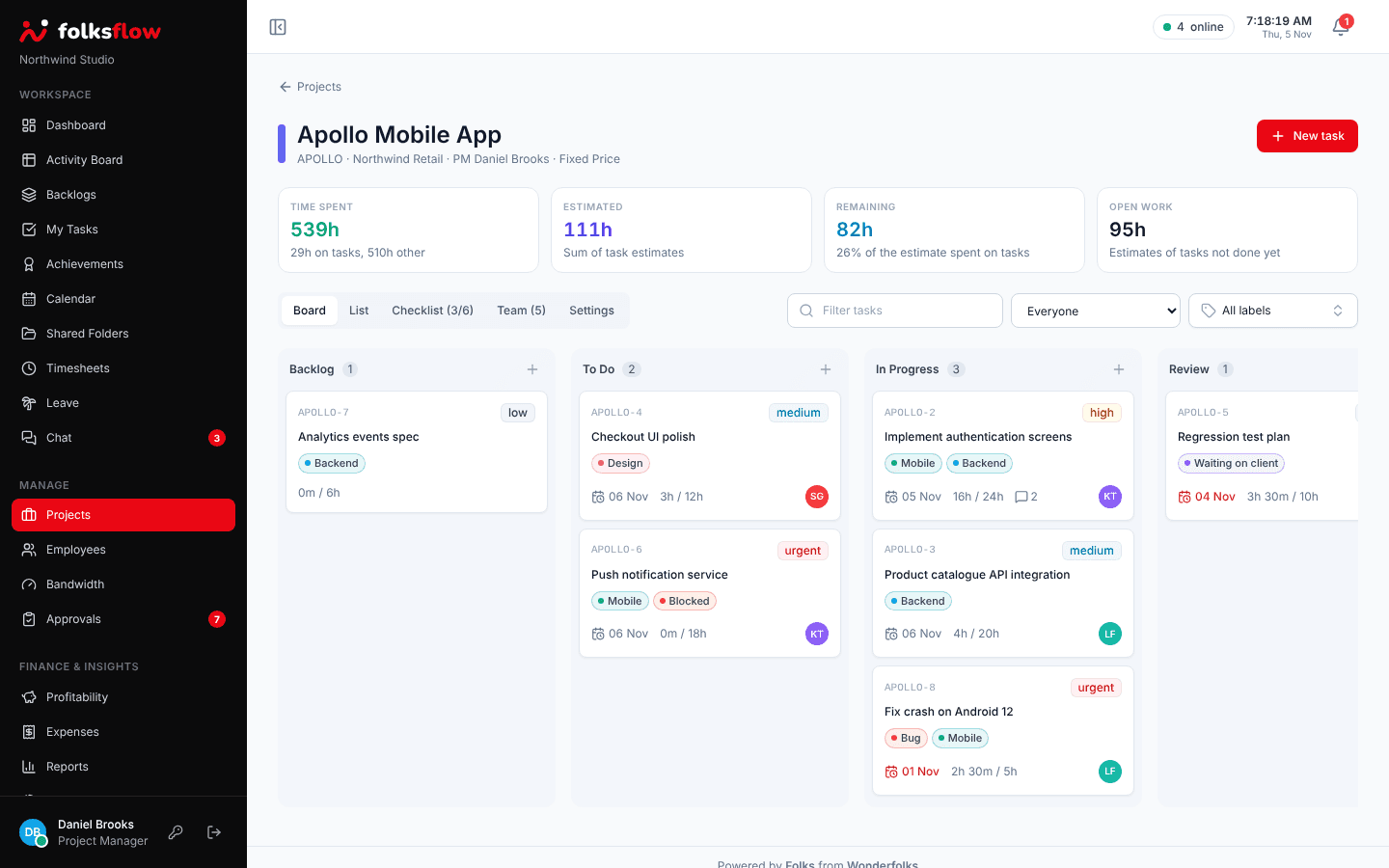
Every task on one board with live timers, estimates against burned hours and weekly utilization, for you or for the whole team.
Activity calendar
Switch the Activity Board to Calendar and see each person’s planned hours as a share of their bandwidth, day by day, with leave and holidays taken into account.
Tasks and labels
Add coloured labels like Bug, Blocked or Waiting on client, filter the board by them, and pull planned work from the backlog when someone has room.
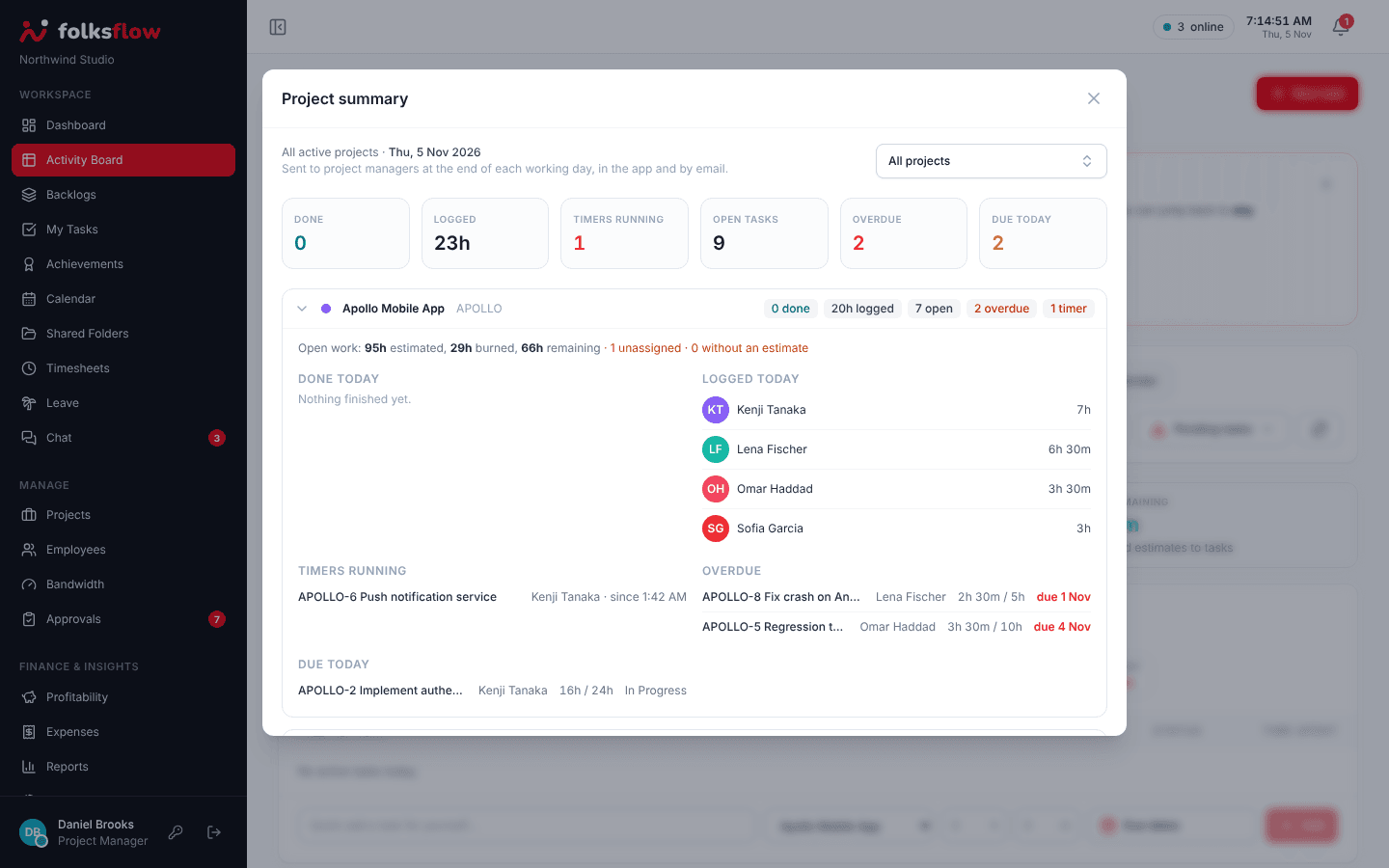
Project summary
At the end of each working day, project managers get what was done, what was logged, what is overdue and what is due today, in the app and by email.
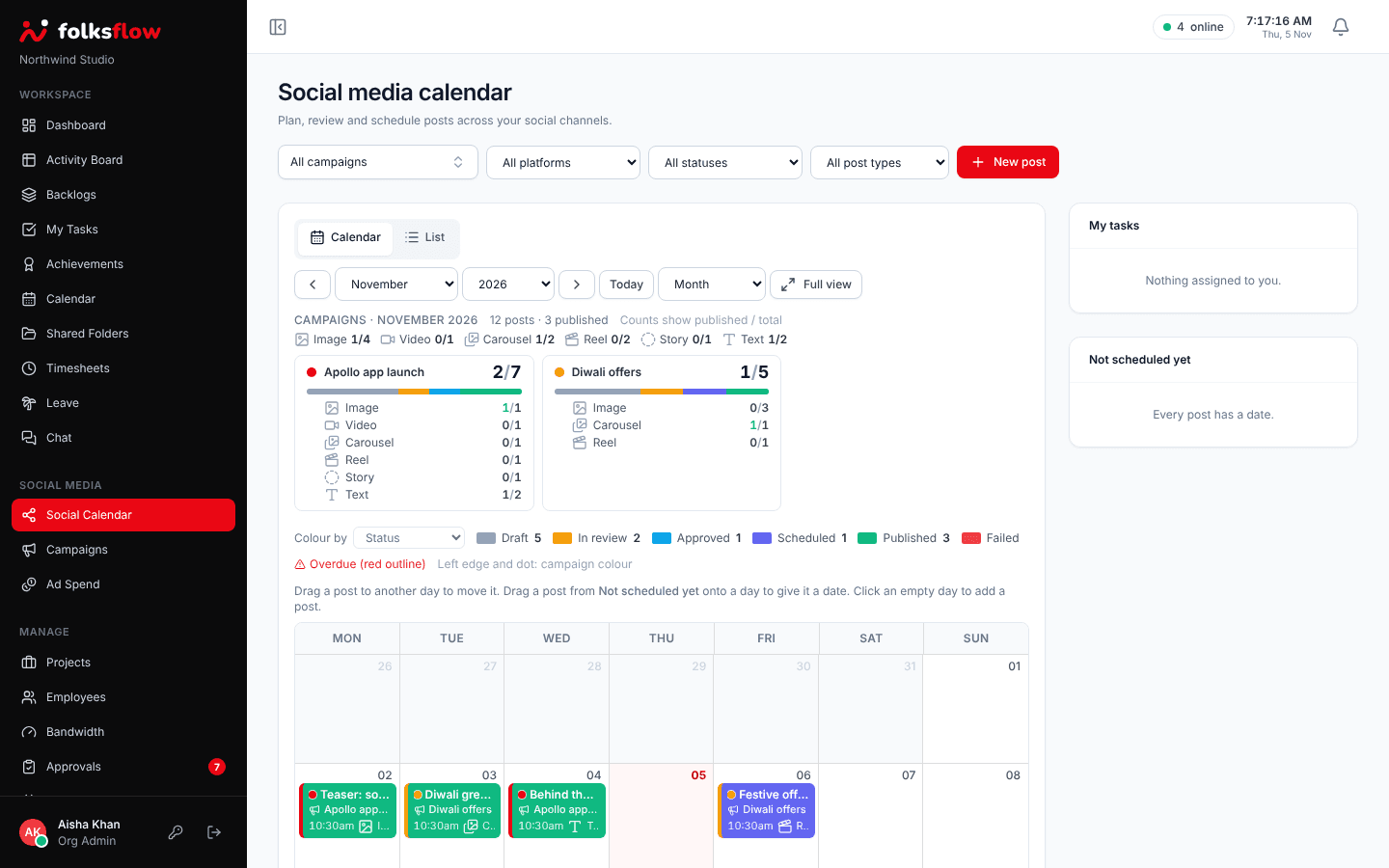
Social media
A drag and drop social calendar for all your channels. Campaigns belong to projects, posts link to the tasks that produce them, and ad spend rolls into project profit.
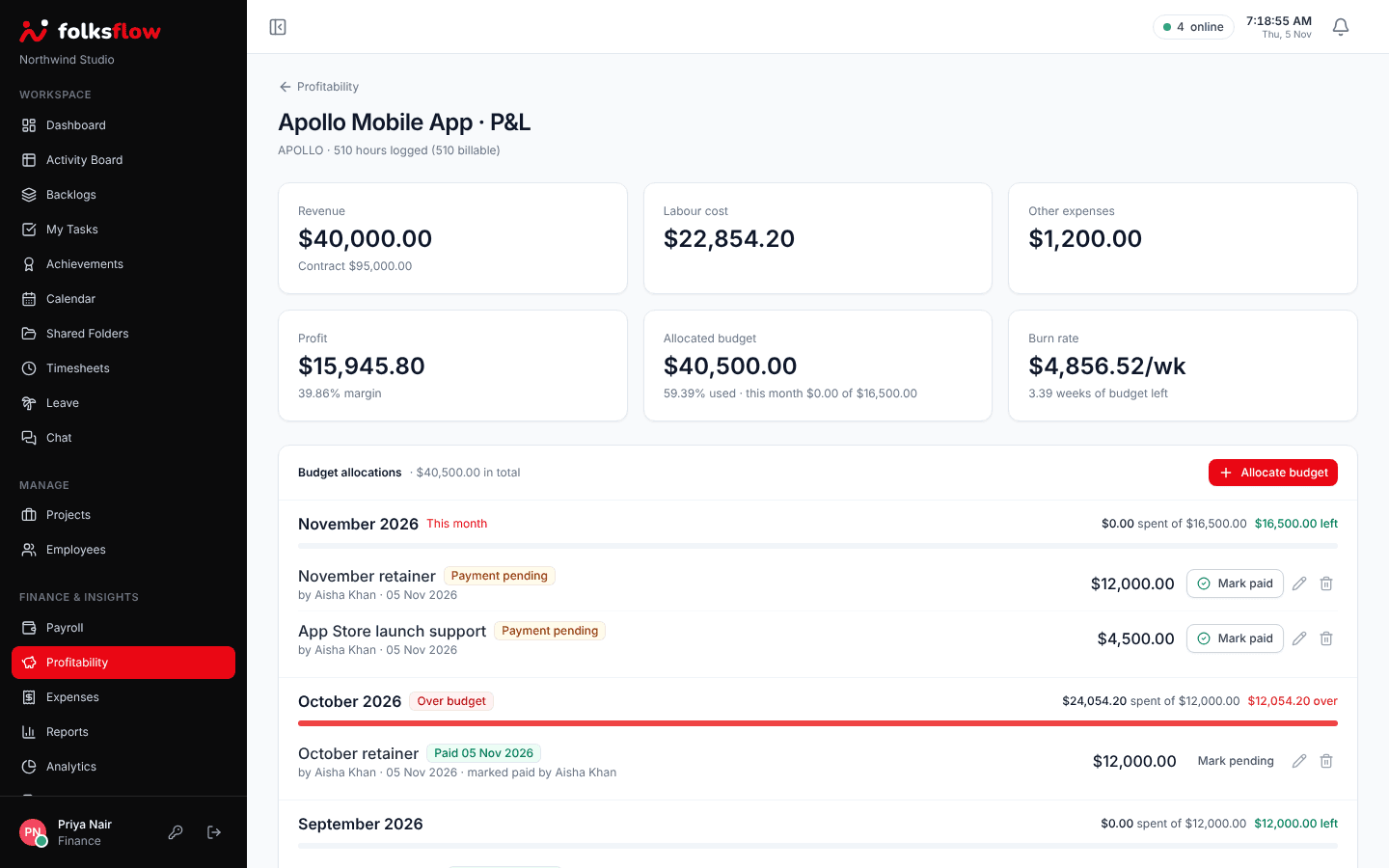
Profit and budgets
Labour cost comes straight from timesheets, expenses and ad spend are added on top, and named monthly budget allocations show how much is left and how fast it is burning.
Shared Folders
Org Admins and project managers share OneDrive folders with the whole organization, highlight the important ones with a colour and a note, and keep approved social media creatives in their own folder.
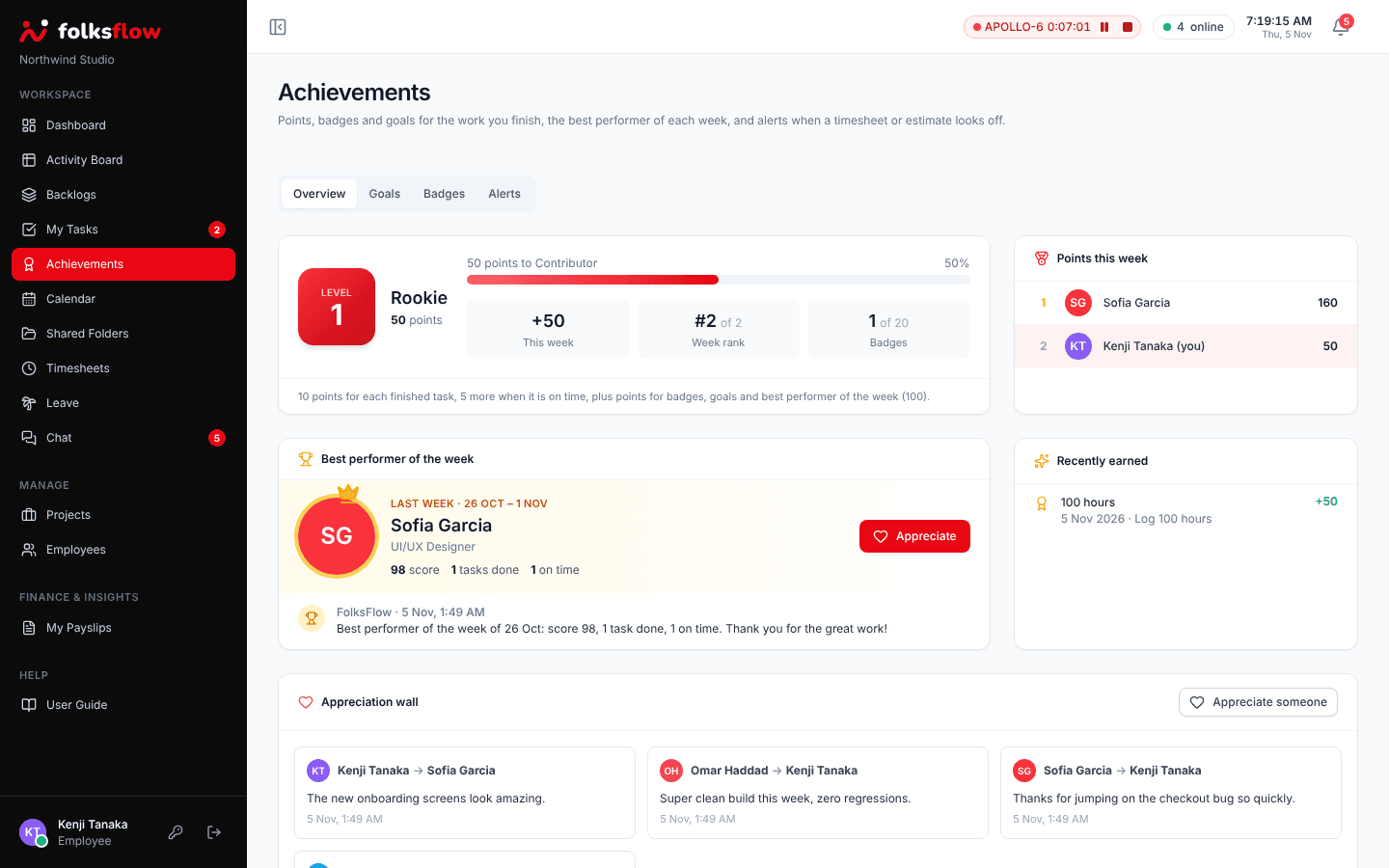
Achievements
Points, levels, badges and goals reward finished and on-time work. The best performer of each week is announced to everyone, and the team can send appreciation.
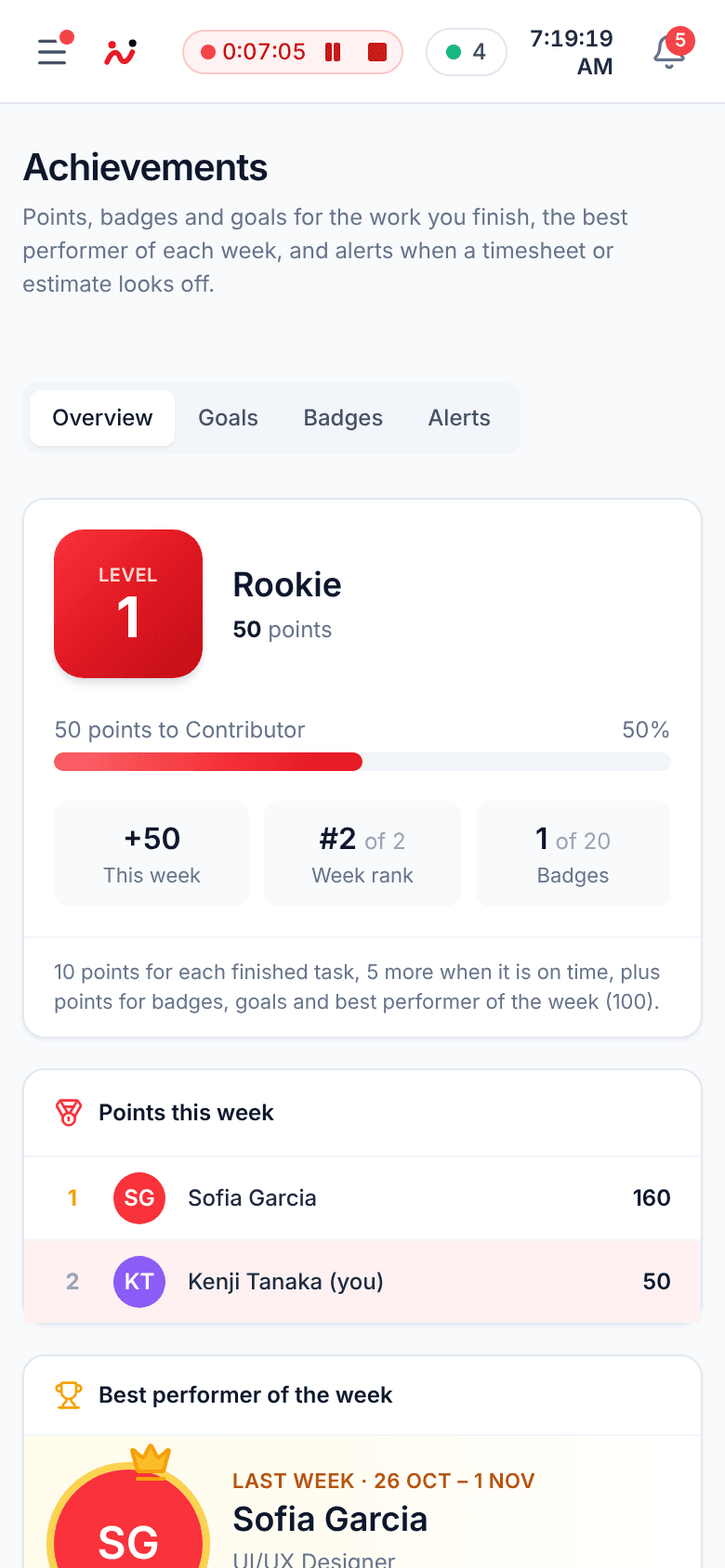
On every screen
Check in when you reach the office, start a timer from a client meeting, approve leave on the go. FolksFlow is built mobile first and needs no app install.
How it works
Your own FolksFlow deployment, configured for your working hours, holidays, leave policies and currency.
Import people from Microsoft Entra ID or add them by hand. They sign in with Microsoft or a password.
Assign work, track time, approve timesheets and run payroll, with profit per project updated as you go.
Security
Payroll and HR data is the most sensitive data a company holds. FolksFlow is designed so it stays yours.
Each customer runs its own deployment and database. Your data is never shared with another company.
Single sign-on that keeps your existing multi-factor and conditional access policies.
Fine grained roles and permissions decide who can see salaries, approve time or change settings.
TLS 1.2+ with HSTS in transit. Bank and tax identifiers are encrypted at rest. Passwords are securely hashed.
Every sensitive change is recorded with who made it and when, ready for your auditors.
Built for India’s DPDP Act. Our licensing service only sees license details, never your HR data.
Pricing
Pay per active user. No setup fees on Starter and Business, and every plan starts with a guided demo.
For small teams getting projects and time under control.
Billed yearly
Start free trialFor growing companies that run payroll and track profit per project.
Billed yearly
Start free trialFor organizations that need their own cloud, controls and service levels.
Priced for your team size and hosting
Talk to salesPrices exclude applicable taxes. Starter and Business include a 14 day free trial.
FolksFlow is one workspace for running a services company: projects and tasks, timers and timesheets, attendance and leave, payroll and payslips, and the profitability of every project. Everyone sees the same live data, so planning, billing and pay all start from the hours people actually worked.
Every customer gets a private FolksFlow deployment. Your employees, timesheets and payroll records stay in your own database and are never mixed with another company. We can host it for you in an Indian data center or deploy it on your own cloud account.
Yes. FolksFlow supports Microsoft Entra ID single sign-on with your existing 2FA policies. People who are not on Microsoft 365 can use a password managed by your admin, and you choose the method per person.
Yes. Payroll uses the earnings, allowances and deductions you configure, and each employee can download their own payslips. Pay is calculated from attendance, leave and approved timesheets, so there is no re-keying.
Yes. The social media calendar lets you plan, review and schedule posts across channels, group them into campaigns under each project, link them to the tasks that produce them and record ad spend, which flows into the project’s profit.
FolksFlow notices. After an hour with no activity it asks whether you are still working, and after a longer idle period it pauses the timer and check-in on its own. Your Org Admin chooses both thresholds.
Yes. Everyone can drag, resize, add and remove dashboard widgets, such as hours trend, tasks done, attendance, bandwidth and profit by project, and keep a live feed of the team’s work. Widgets only show data the person is allowed to see.
Yes. Org Admins and project managers can create or add OneDrive folders under Shared Folders, and FolksFlow makes them viewable by everyone in the organization. Important folders can be highlighted, and approved social media creatives get their own folder.
Starter and Business plans come with a 14 day free trial with all features turned on. No card is needed to start. Book a demo and we will set up a trial workspace for your team.
Plans are priced per active user per month, before taxes. Paying yearly saves around two months. You can add or remove people at any time and the next invoice is adjusted.
Yes. Employees can be imported from Microsoft Entra ID or a spreadsheet, and on the Enterprise plan our team migrates projects, timesheets and leave balances from your current tools.
FolksFlow is fully responsive, so people can check in, start a timer, apply for leave or approve timesheets from a phone, tablet or desktop browser without installing anything.
Yes. Monthly plans can be cancelled at any time and stay active until the end of the paid period. See our Cancellation and Refund policies for the details.
About us
FolksFlow is built by Wonderfolks Interactive LLP, a product and digital studio in Calicut, Kerala. We run client projects every day, and we built FolksFlow because we were tired of juggling one tool for tasks, another for timesheets, a spreadsheet for leave and yet another for payroll.
Today FolksFlow runs our own studio, and we bring the same workspace to agencies, consultancies and growing companies across India and beyond.
Software that recognizes good work, not just measures it.
Private by default, with every record kept inside your deployment.
Designed and supported from Calicut, India.
Every feature is used by our own team before it ships.
Contact us
Book a demo and we will walk you through FolksFlow with your own workflows in mind, answer your questions and set up a free trial.
Tell us a little about your team and pick a day that suits you.
Start with a free demo, and our team will help you set up your workspace, import your people and go live.